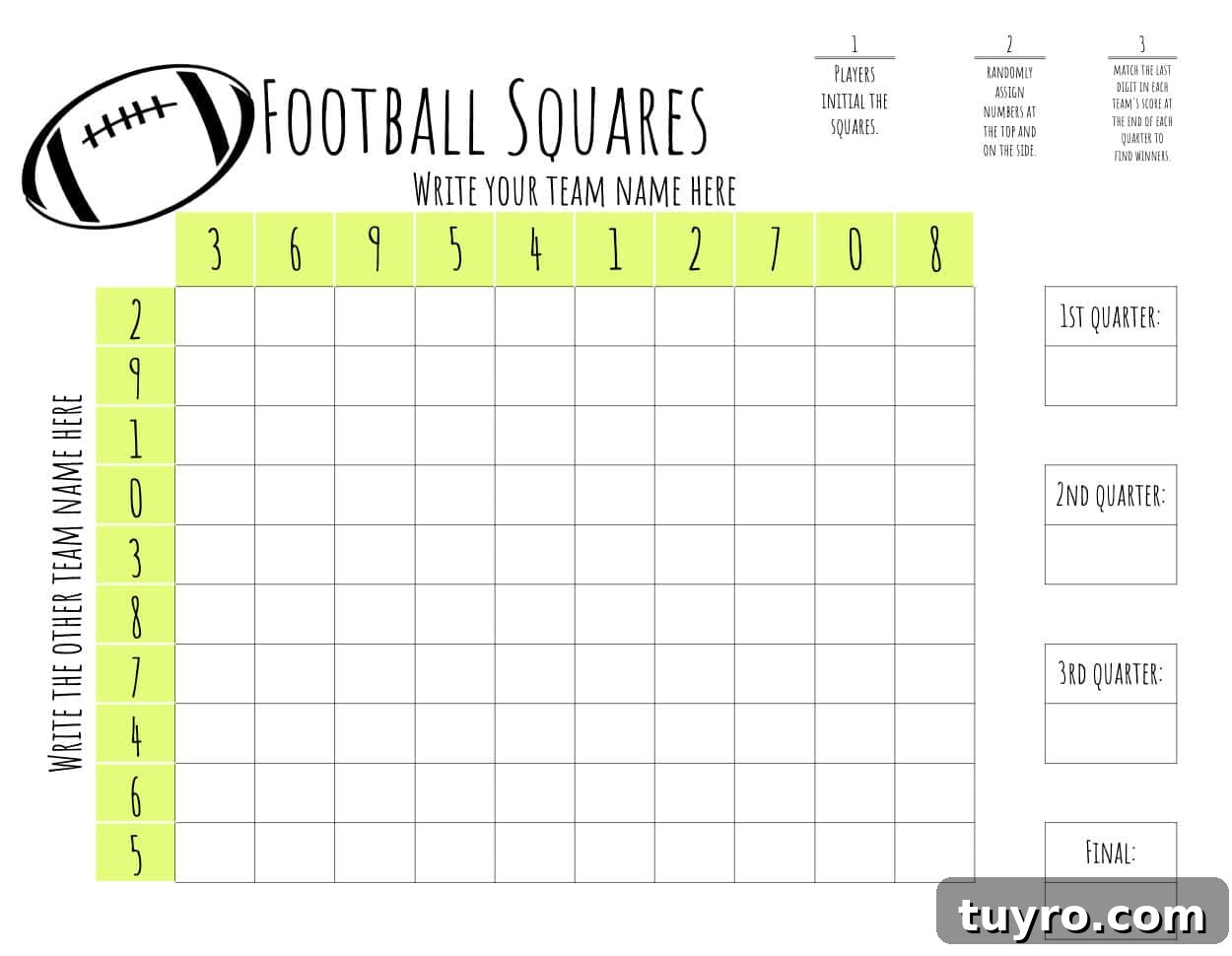
Download a free printable football squares template and learn exactly how to play this easy game with friends, family, or guests at your next football party. The template is customizable, printable, and simple to use for college football, NFL games, tailgates, or a Super Bowl party.
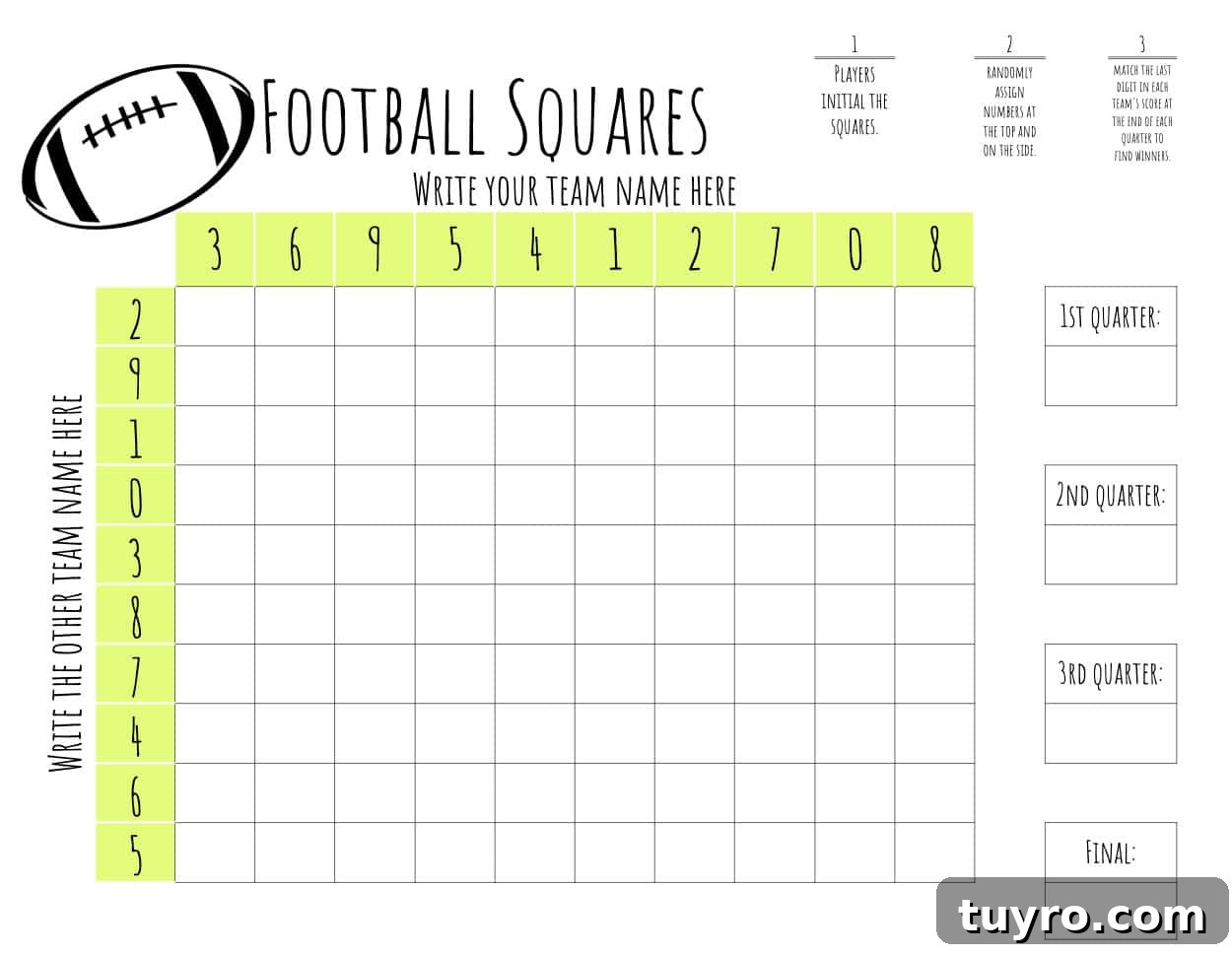
Football squares is one of those classic party games that makes watching a game even more fun. It does not require football knowledge, and everyone can join in. If you are hosting a watch party, planning a tailgate, or looking for a simple activity for game day, this printable football squares board is an easy option.
This version is especially convenient because it can be edited in Google Sheets before you print it. You can add team names, adjust the numbers, change colors, and personalize the board to match your event.
(Ready to download? Jump to the free printable football squares template.)
What is Football Squares?
Football squares is a simple grid-based game played during a football matchup. A standard board has a 10-by-10 grid, creating 100 squares. One team is assigned to the top row, and the other team is assigned to the left column. Participants write their names or initials in the empty squares until the board is filled.
Once the game begins, winners are determined by the score at the end of each quarter. Instead of using the full score, you only look at the last digit of each team’s score. Those two digits are matched on the football squares grid, and the square where they meet identifies the winner for that quarter.
Because the outcome depends on the score, football squares is mostly a game of chance. That is what makes it so fun for a mixed group of football fans and casual viewers. Even people who are not closely following the plays can stay interested as the score changes throughout the game.
How to Play Football Squares
Start by printing your football squares template or opening the editable version in Google Sheets. Then follow these simple steps:
- Write one team’s name across the top horizontal row and the other team’s name down the left vertical column.
- Have each participant take turns adding their name or initials to one empty square at a time until all 100 squares are filled.
- At the end of each quarter, look at the last digit of each team’s score.
- Find those two numbers on the grid and follow them until they intersect.
- The person whose name or initials appear in that square wins that quarter.
Here is an example. If Alabama is playing Auburn and the score at the end of the first quarter is Alabama 57 and Auburn 12, you would use the last digit of each score. Alabama’s number would be 7, and Auburn’s number would be 2.
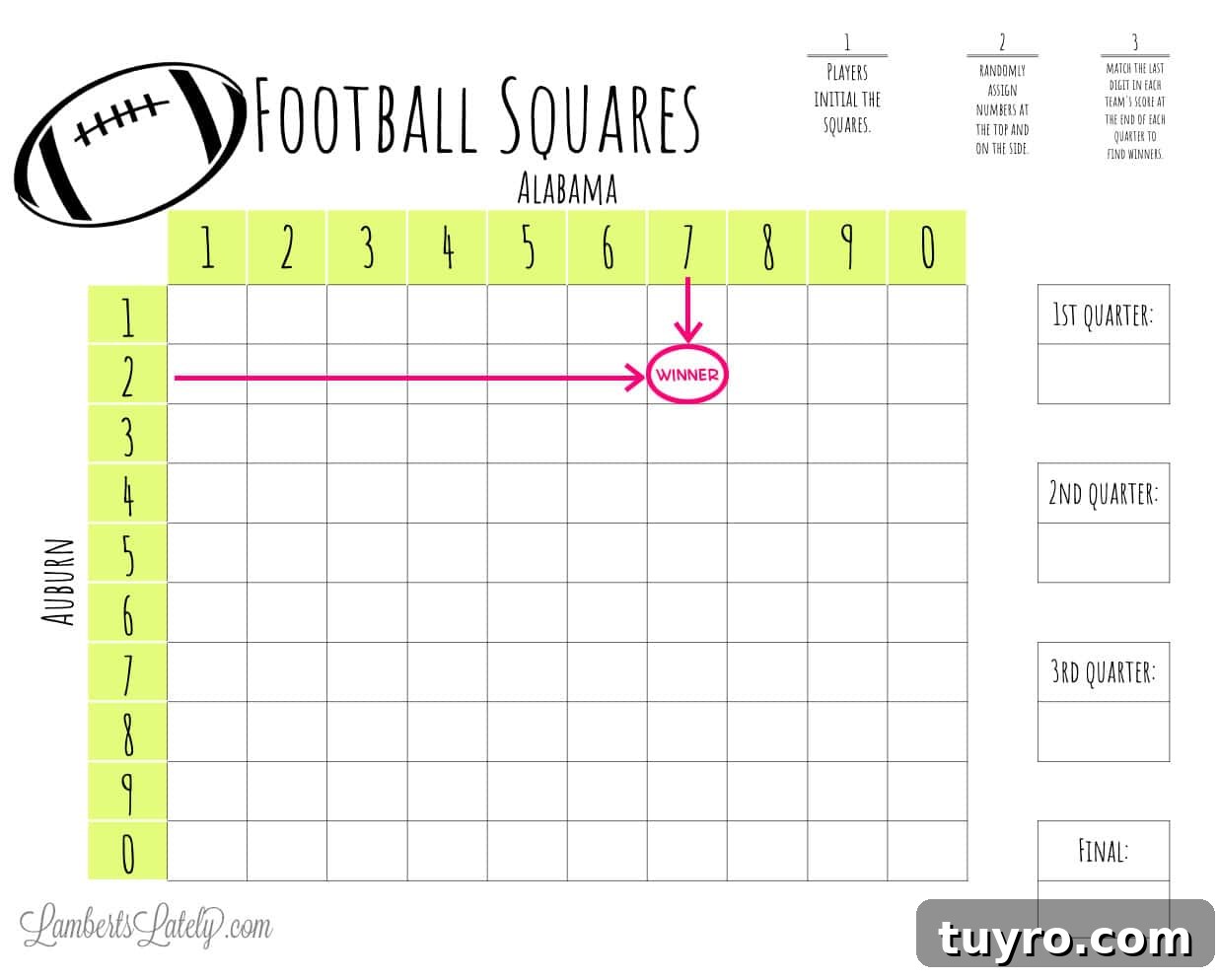
On the board, find 7 for Alabama and 2 for Auburn. Follow the row and column until they meet. The participant listed in that square is the winner for that quarter.
Repeat the same process at the end of the second quarter, third quarter, and final score. That gives you four chances to win during one football game.
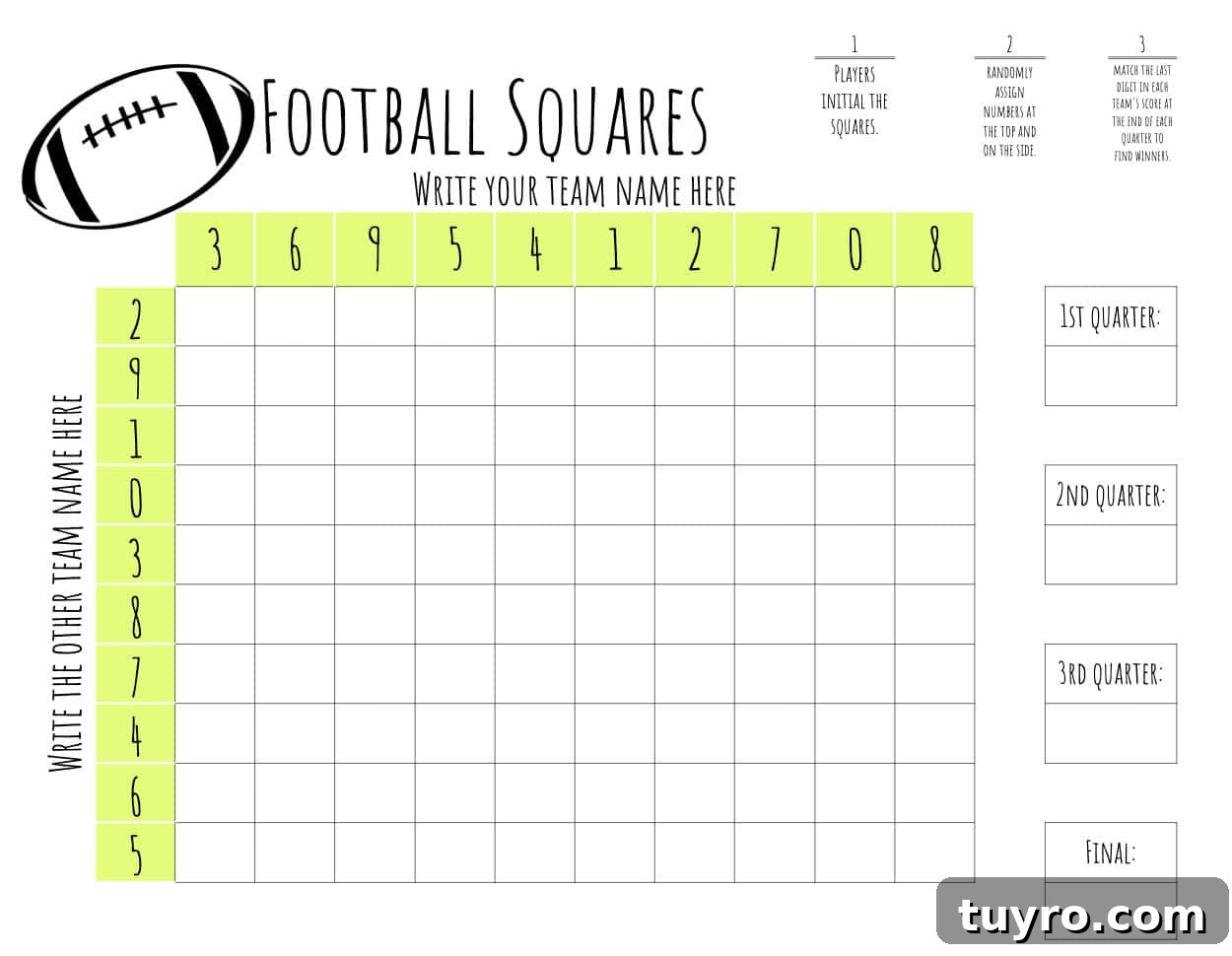
You can also randomize the numbers to make the game even more luck-based. Instead of placing the numbers in order across the top and down the side, you can arrange the digits from 0 to 9 in a random order. This prevents anyone from choosing a square based on a preferred number combination.
The editable football squares template makes this easy. You can type the numbers manually, or you can use a random number formula in Google Sheets.
How to Print or Save as a PDF File
This football squares template is formatted to print on standard 8.5×11-inch printer paper. A regular home printer works well for this file. If you want the board to feel sturdier, print it on cardstock or heavier printer paper.
You can also save the template as a PDF file. Open the template in Google Sheets, then choose the File menu at the top of the page. Select Print, then continue to the next print settings screen. From there, most devices will allow you to choose “Save as PDF” instead of selecting a printer.
The exact steps may look slightly different depending on your computer, browser, or device. In most cases, the printer selection box will include a PDF option. Once selected, you can save the football squares board to your computer and print it later.
For the easiest party setup, print the football squares board before guests arrive. Place it near pens or markers so everyone can fill in their squares as they arrive.
How to Edit Your Template
This printable football squares template is available through Google Sheets, which makes it easy to customize before printing. You do not need advanced spreadsheet skills to use it. If you can click a cell and type, you can edit the template.
When you click the download button below, the file will open in a new tab. Make sure you are signed in to a Google account first. Google will ask if you want to make a copy of the template. Choose “Make a copy,” and the file will be added to your own Google Drive.
After that, you can edit your copy however you like. Add team names, change the numbers, update colors, or adjust the font to make the board fit your game day theme.
Edit the team names
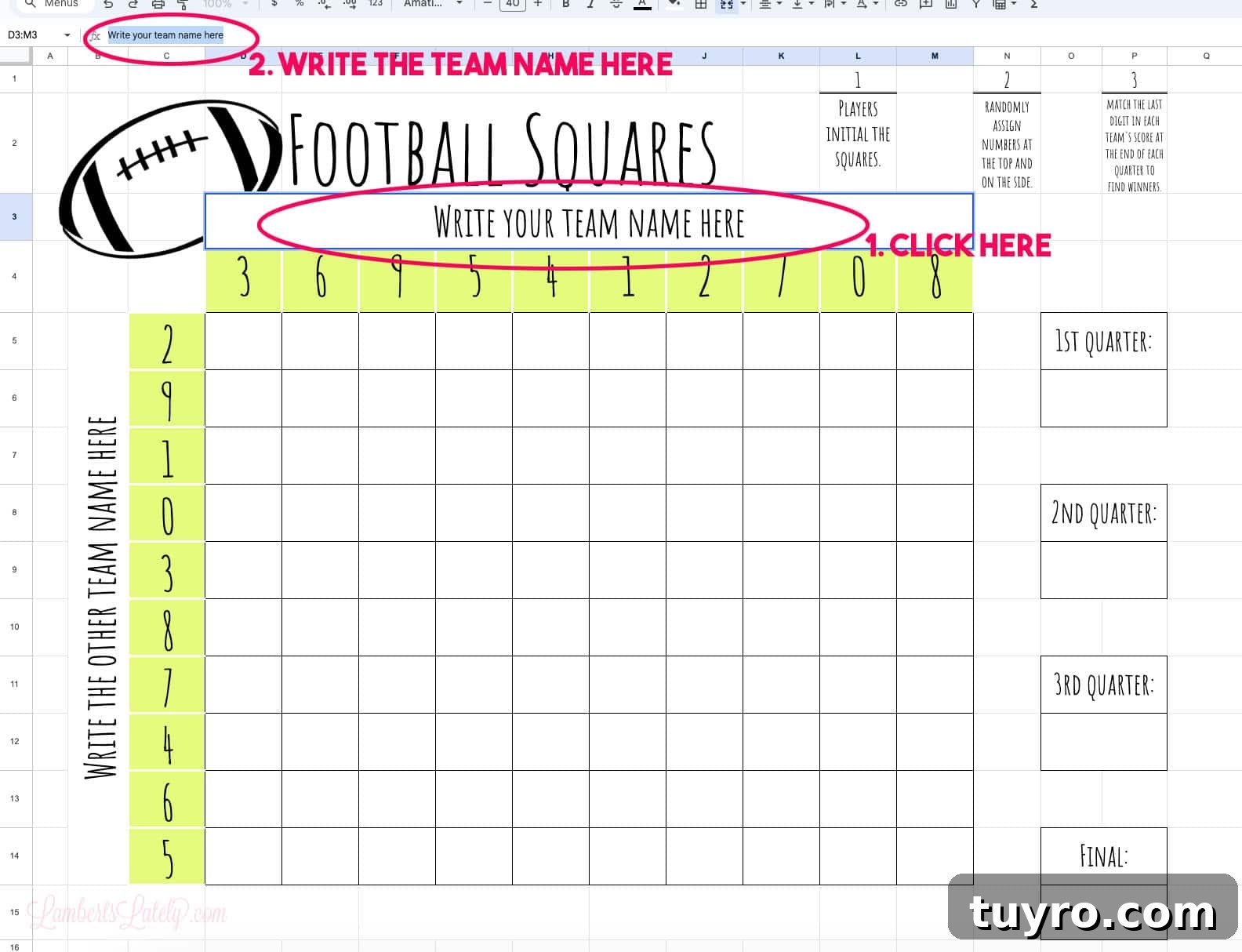
To add team names, click the box that says “write your team name here” and type the name of the team into the cell or input bar. Repeat the same step for the opposing team on the left side of the board.
Randomize numbers on the column and row
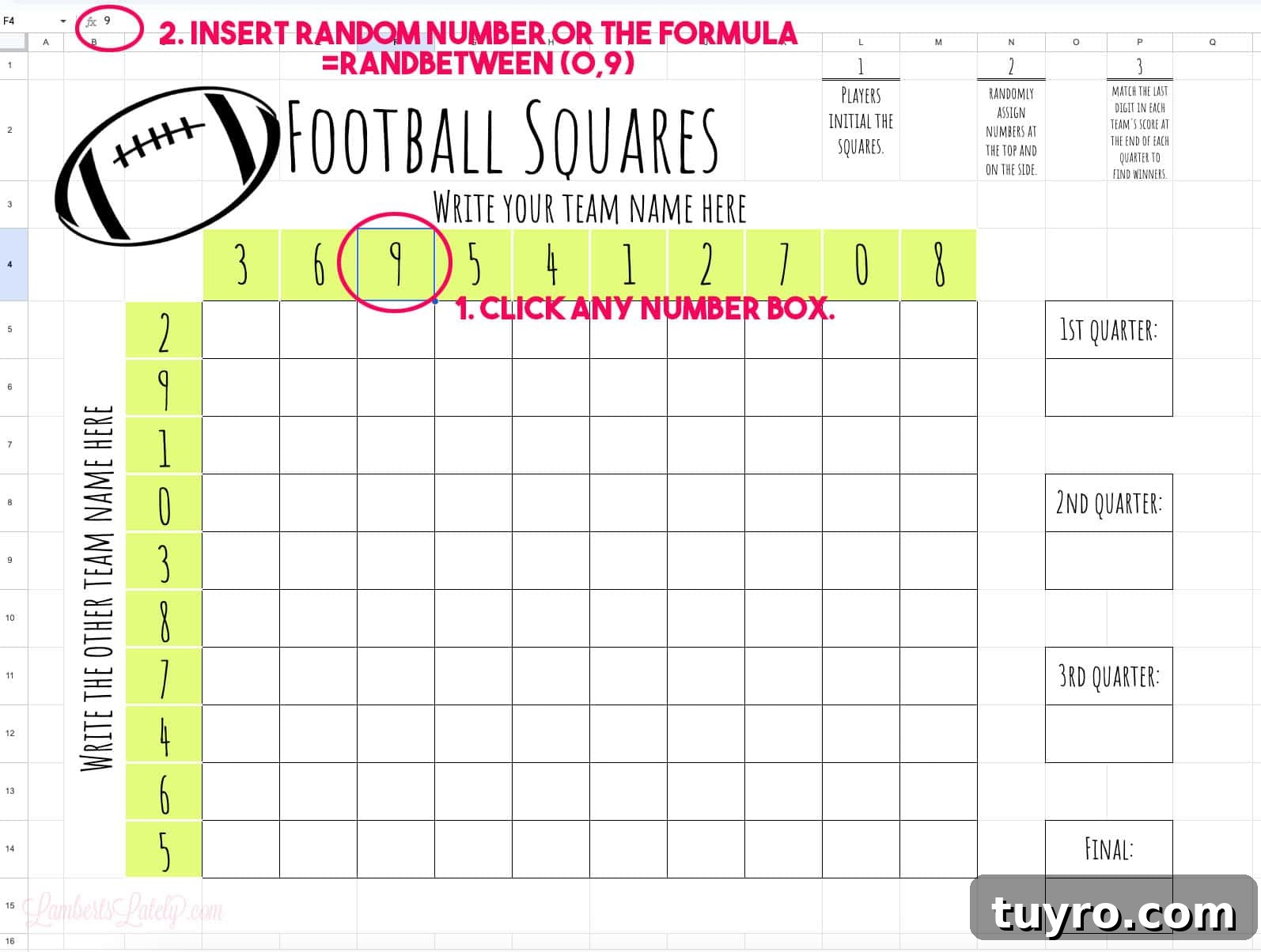
You can choose whether to enter the numbers manually or use a random number formula.
To enter numbers manually: click each number cell and type the digit you want to use. For a standard football squares board, use the digits 0 through 9 across the top and 0 through 9 down the side.
To use a random number formula: click a number box and type =randbetween(0,9). This will generate a random digit between 0 and 9. You can copy and paste the formula into the other number boxes.
Note: the formula method may repeat the same number more than once. If you want each digit to appear only one time in each row or column, manually entering the numbers is usually the easiest option.
Change colors and fonts
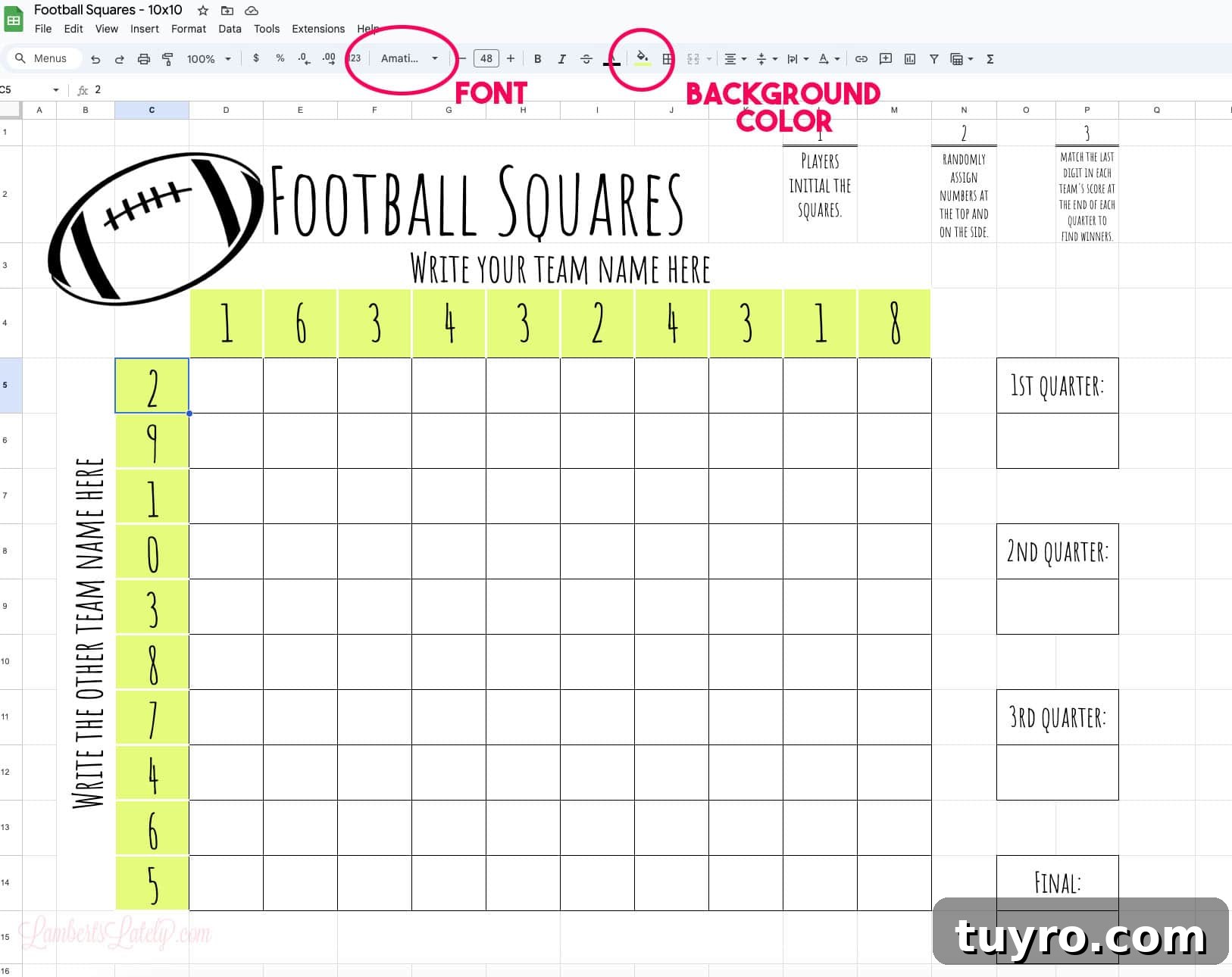
You can customize the design of the template, too. Highlight any cell, then use the color or font tools at the top of Google Sheets. This is a great way to match the football squares board to team colors or your party theme.
One helpful tip: while guests can technically add their names directly in the digital file, it is usually much easier to print the board and let everyone write their initials by hand. This keeps the game moving and avoids passing a computer or phone around the room.
Grab Your Free Printable
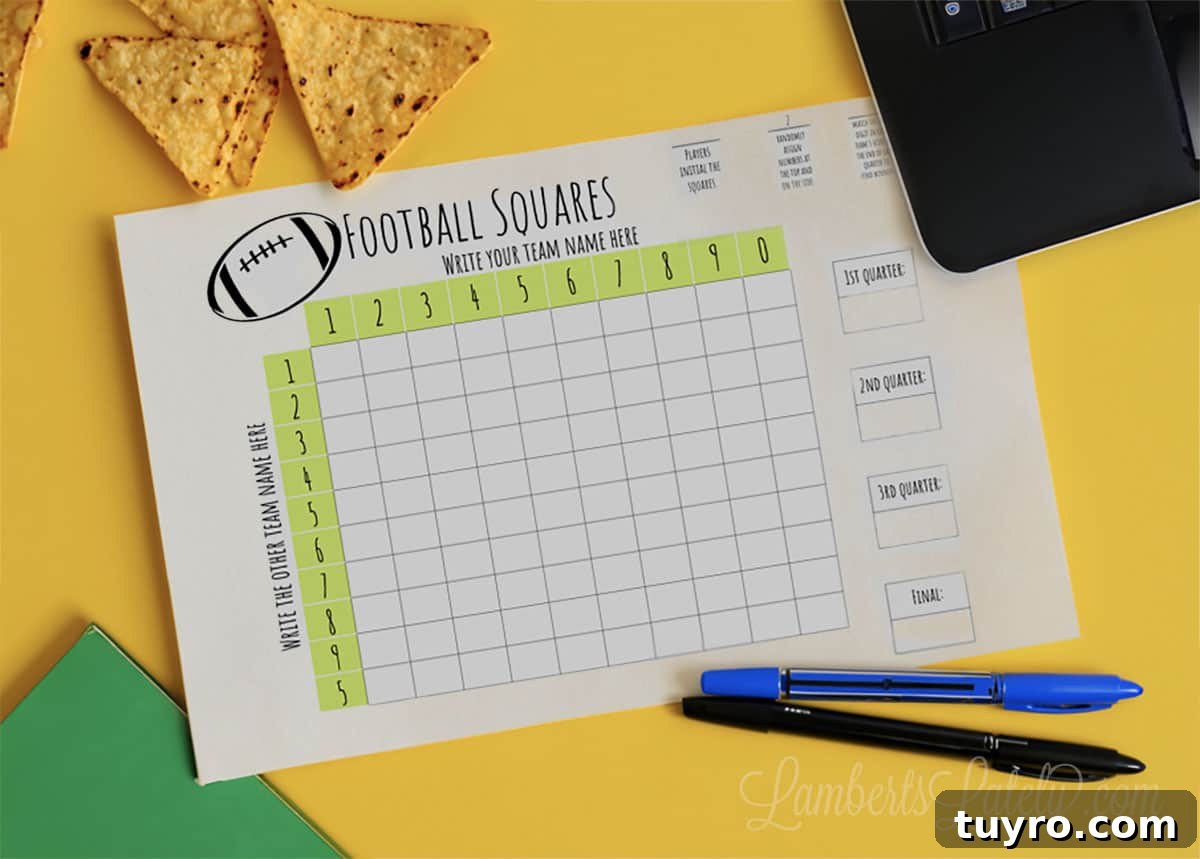
Click the button below to open the free printable football squares template in a new tab. Make sure you are signed in to a Google account before opening the file. When prompted, choose “Make a copy” to save your own editable version to Google Drive.
Once the template is saved, you can customize it, print it, or save it as a PDF for later. It is a simple game day printable that works well for tailgates, football parties, family gatherings, office events, and Super Bowl celebrations.
More Celebration Printables
-
Free Printable Halloween Tags (PDF)
-
Free Play Doh Valentine Printable (Non-Candy Classroom Cards)
-
Free All About My Dad Printable (Father’s Day Questionnaire)
-
Christmas Countdown Printable (Free PDFs)


If you use this football squares template, show it off! It is a fun printable to bring out at your next tailgate, game day party, or football celebration. 🏈